Adding a custom intro to every music video is one of the best ways to make your YouTube music channel stand out. A professional intro not only captures viewers' attention in the first few seconds but also strengthens your brand, making your videos look polished, unique, and more memorable than your competitors' content.
With the right music video intro maker, creating a professional, attention-grabbing intro has never been easier—even if you have no editing experience. In this guide, we'll explore what a music video intro maker is, why it's important, the features that make a great music intro maker, and a step-by-step process to create your own music video intro.
Contents:
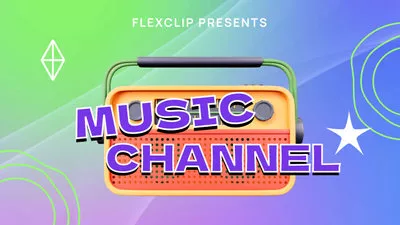
Editable Music Video Intro Templates You Might Like:


Can't Miss: 5 Best Gaming Intro Makers for YouTube Gaming Videos >
Part 1 What is a Music Video Intro Maker and Why It Matters
A music video intro maker is an online tool or software that allows you to design short, dynamic intros for your music videos. They typically offer a variety of templates, animations, and audio options, enabling anyone to produce professional-quality intros for any music video quickly.
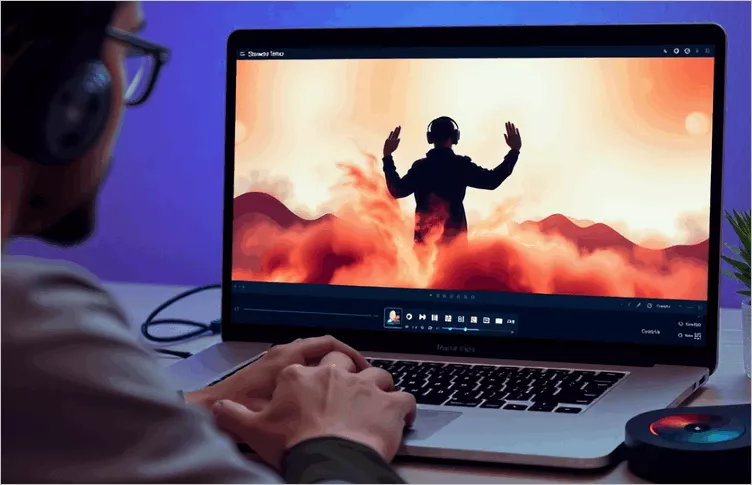
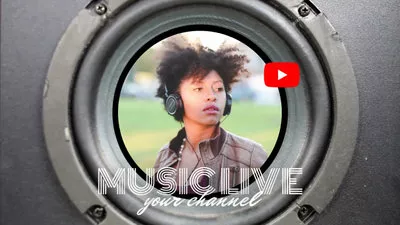
Creating a Professional Music Video Intro Using an Online Intro Maker
Why It Matters for Creators
By using a music video intro maker, you can combine creativity and professionalism in just a few clicks, making your music videos and YouTube channel more attractive and memorable.
Part 2 What Makes a Good Music Intro Maker (Best Features)
Many music video intro makers are available, but not all produce professional results. Choosing the right tool ensures your intros look polished, reflect your style, and stand out from the competition. To create an impressive music video intro, focus on tools that offer the key features outlined below.
Customizable Templates
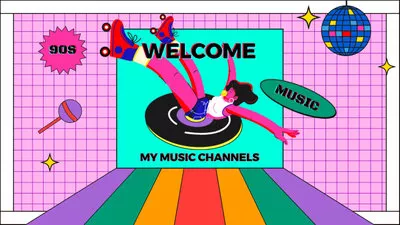
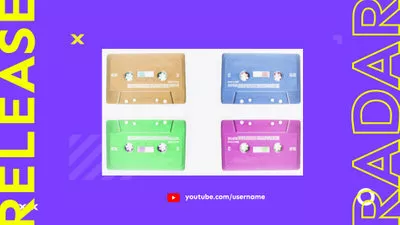
A high-quality music intro maker provides flexible templates that you can fully customize with ease. Adjust fonts, colors, layouts, and animations to match your brand and make your music video intros unique.

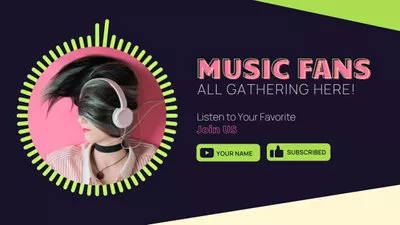
High-Quality Visual Effects and Animations
Choose a music video intro maker that offers smooth motion graphics, cinematic transitions, and dynamic animations, which can give your music video intros a professional edge and immediately capture viewers' attention.
Music and Audio Sync Options
Look for a music video intro that allows you to sync visuals with the beat and add sound effects, creating a cohesive, immersive experience that perfectly complements your music.
Easy-to-Use Interface
Beginner-friendly drag-and-drop controls and real-time previews make it simple to create professional intros, even if you have no prior video editing experience.
Branding and Logo Integration
Incorporate animated logos, signature graphics, or watermarks to reinforce your brand identity and make your videos instantly recognizable.
Recommended Online Music Video Intro Maker - FlexClip
Choosing a music intro maker with these features saves time, enhances video quality, and ensures your intros always look professional and engaging. One tool that stands out is FlexClip, a versatile and beginner-friendly online video editor.
Create Stunning Videos with FlexClip AI Video Maker
With FlexClip, you can access customizable templates, high-quality animations, and intuitive drag-and-drop controls, and even powerful AI tools, making it easy to create music video intros that match your style. You can sync visuals with your music, add sound effects, incorporate logos, and produce polished intros that grab attention and strengthen your brand.
Part 2 How to Create a Music Video Intro (Step-by-Step Guide)
With the right tool like FlexClip in hand, you're ready to move on to creating your own music video intro. Here, we'll guide you step-by-step so you can make an engaging, professional intro that elevates your videos and impresses your audience.


Step 1 Start with a Music Intro Template or from Scratch
Simply turn to FlexClip, go to the Templates section and scroll down to pick one video template you like or you can search the proper templates by keywords.
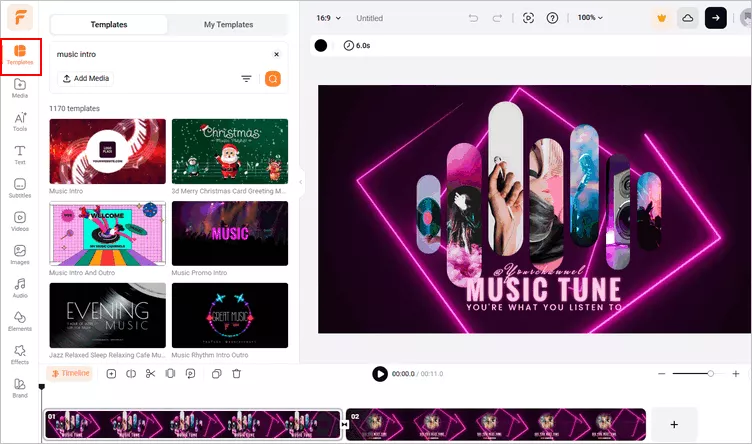
Make a Music Video Intro with Template - Pick Template
Don't want to start with a template, but try to make something custom all by yourself? You can also start from a blank canva, just try the way you prefer. Here, we'll walk you through the way how you can make a music intro video with FlexClip's templates.
Step 2 Personalize the Template to Make Your Music Intro Video
Once you pick the template, you can apply the template only to manually customize the music intro template to your own one, or upload your media directly and use the Auto-Fill feature to automatically create a music video intro with AI.
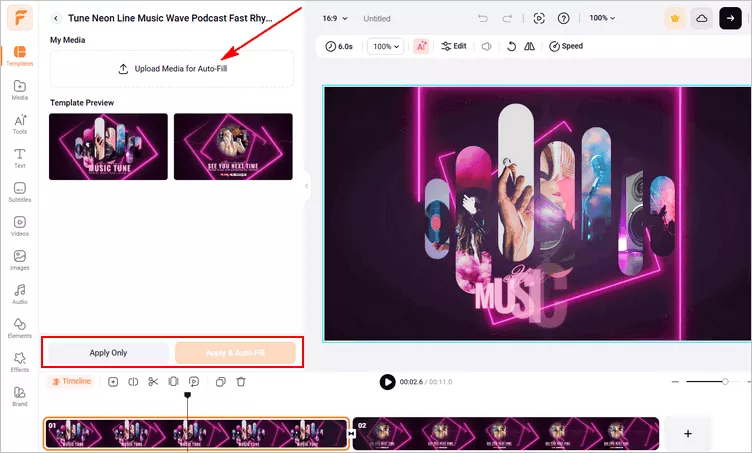
Make a Music Video Intro with Template - Creation Options
Here we'll show you the manual way to personize the music video intro in details.
Add your music intro footage. Upload your own music video footage the Media section and drag them to the canva to replace the default imagery in the templates. Or you can pick some stunning resources form FlexClip's extensive video or image library.
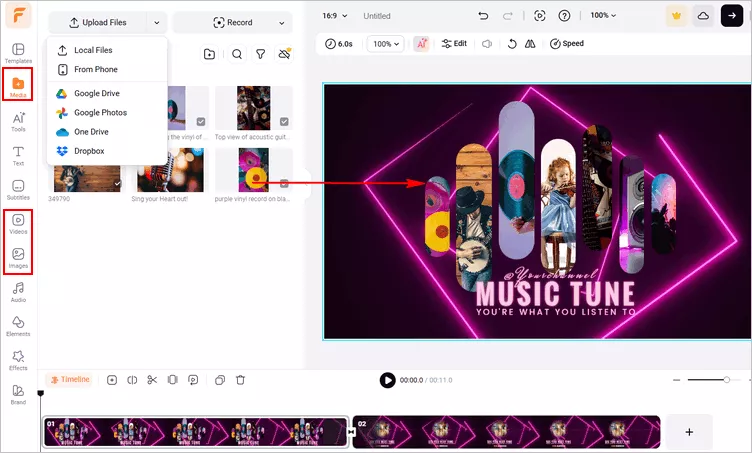
Make a Music Video Intro with Template - Replace
Edit the music intro text. Double-click the text box to enter your music intro message, such as music name or channel name and your slogan, etc., and then modify the font and color, or you can go to the Text in the sidebar to add multiple text animation in your music intro video.
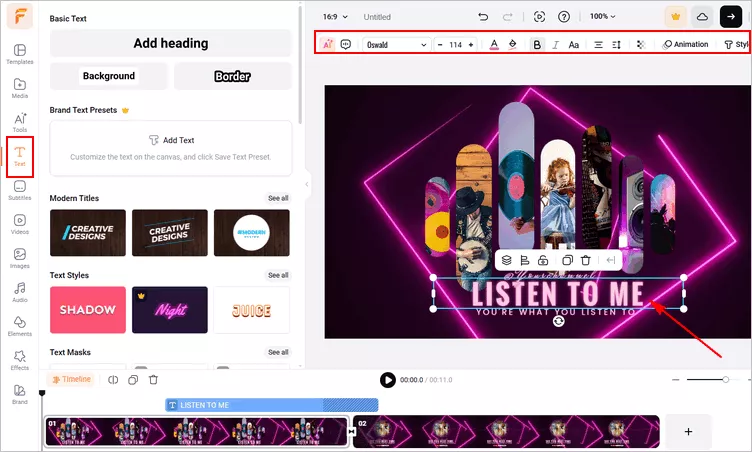
Make a Music Video Intro with Template - Edit Text
Add background music to your music intro. Intro music is an easy way to subconsciously "set the scene". That might mean giving the audience a sudden flutter of excitement about something familiar. You can upload your own audio track to replace the default one in the template directly; or browse through FlexClip's audio library to find some great music tracks or sound effects. Remember to make sure you use a song or sound effects that fit the tone of your music intro and that you are licensed to use. (Pro Tip: you can try FlexClip's AI music generator to automatically create custom AI music that matches your needs.)
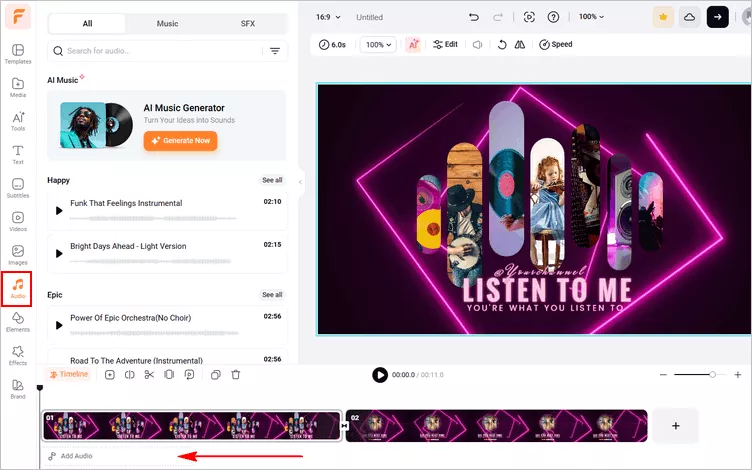
Make a Music Video Intro with Template - Edit Music
Step 3 Add Your Logo to the Music Intro
All intros should include the logo of the brand to help the audience recognize and remember it.
To give your music intro a professional look, you need to add your logo to it. If the template you picked includes a logo, you just need to replace it with your own.
If not, you can add a logo to your video in simple clicks: go to the Text option and select Logo Overlays > click All icon to see all effects to pick the one you like, then click the Replace icon on top of the screen to add your own logo.
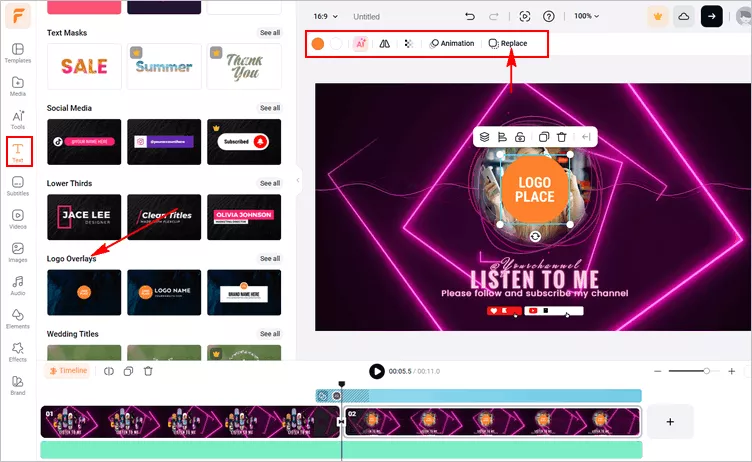
Make a Music Video Intro with Template - Logo
Voila – your music intro video is right at your fingertips now! You can preview and then save it for re-using or attaching to your next music videos in the future.
Final Words
That's all for the best music video intro maker and how to make your own music video intro online. Thank you for reading this article, and if you are interested in more topics like this, you can check out more articles on our blog page.




FlexClip AI Video Maker
Reach professional-quality videos faster with easy editing tools, templates, and smart AI.
Start Now for Free
Hot & Trending
-

Best Ways to Find Music in YouTube Videos
-

Instagram Story Video Quality Bad After Upload? Fix It!
-

How to Repost Video on TikTok & How to Remove TikTok Repost
-

Improve Video Quality Online: 3 AI Video Quality Enhancers You Can't Miss
-

4K Convert to HD 1080p without Watermark: Best 4k Video Converters
-

Best 8 Free Video Editors - No Download Required
-

Top 13 Birthday Video Makers with Music and Effects Free
-

How to Search Filters on TikTok & Use a Filter You See - TikTok Filter Guide